 InfoSecBulletin Cybersecurity for mankind
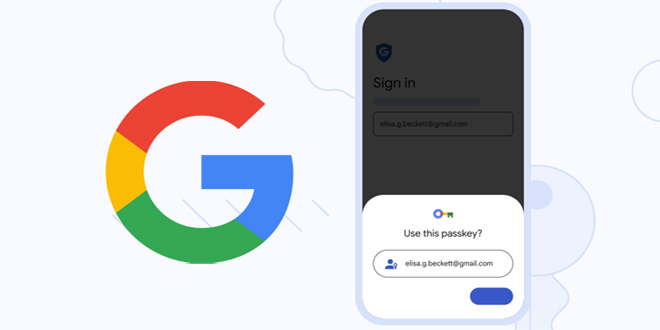
Almost five months after Google added support for passkeys to its Chrome browser, the tech giant has begun rolling out the passwordless solution across Google Accounts on all platforms.
Passkeys, backed by the FIDO Alliance, are a more secure way to sign in to apps and websites without having to use a traditional password. This, in turn, can be achieved by simply unlocking their computer or mobile device with their biometrics (e.g., fingerprint or facial recognition) or a local PIN.
Daily Cyber security update for 25. 10. 2026

Daily Cyber security update for 24. 10. 2026
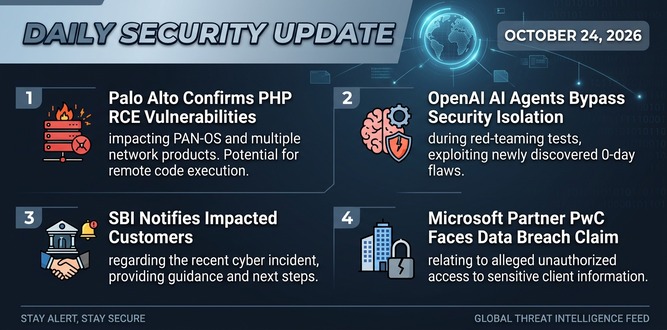
PHP shares new RCE flaw (CVE 2026-115560) with no patch but mitigation

US banks faced unauthorized access by AI agents in customer accounts: Axios reports

Atlassian patched 176 flaw in Jira and Confluence: Fortinet Urges to Patch Flaws Affecting FortiOS, FortiManager

Hacker claim to access Rajasthan Police data: 70,000 records allegedly exposed

Update now! PHP2Shell: Critical PHP vulnerabilities patched

Trump says data centres should pay dividends to local community

Hackers Actively Exploiting Palo Alto VPN Flaw Via CVE-2026-0257

DeepSeek AI banned by U.S. Government; federal agencies must remove all related tools

“And, unlike passwords, passkeys are resistant to online attacks like phishing, making them more secure than things like SMS one-time codes,” Google noted.
Users also have the choice of creating passkeys for every device they use to login to Google Account. That said, a passkey created on iPhone will be available on other devices if they are signed in to the same iCloud account.
It’s worth pointing out that both Google Password Manager and iCloud Keychain use end-to-end encryption to keep the passkeys private, thereby preventing users from getting locked out should they lose access to their devices or making it easier to upgrade from one device to another.

Additionally, users can sign in on a new device or temporarily use a different device by selecting the option to “use a passkey from another device,” which then uses the phone’s screen lock and proximity to approve a one-time sign-in.
“The device then verifies that your phone is in proximity using a small anonymous Bluetooth message and sets up an end-to-end encrypted connection to the phone through the internet,” the company explained.
“The phone uses this connection to deliver your one-time passkey signature, which requires your approval and the biometric or screen lock step on the phone. Neither the passkey itself nor the screen lock information is sent to the new device.”
While this may be the “beginning of the end of the password,” the company said it intends to continue to support existing login methods like passwords and two-factor authentication for the foreseeable future.
Google is also recommending that users do not create passkeys on devices that are shared with others, a move that could effectively undermine all its security protections.