 InfoSecBulletin Cybersecurity for mankind

A fake Zoom update scam infected 1,437 Windows users globally in 12 days. Attackers used a fraudulent version of Teramind, a genuine employee monitoring tool, to spy on victims. Microsoft Defender for Endpoint detected the campaign on February 11, 2026.
Teramind issued an official statement confirming no ties to the attackers. “We have no affiliation with these threat actors and did not authorize any such deployment,” the company said in a blog post dated February 25, 2026. Malwarebytes detailed the scam in their February 24 report, noting its reliance on social engineering over complex code.
Citrix NetScaler SAML 0-Day Flaw Under Attack

Major Danish university breached, 200,000 users at risk

Microsoft’s X account hijacked to promote Clippy crypto scam

Critical cPanel, GitLab AI Gateway and Dell CSM Flaws Enable RCE And Admin Hijacking

Nearly 100,000 email addresses exposed in first AI-related data breach in Singapore

Hackers Exploit Zimbra Mail Servers: TeamViewer patched 5 critical flaws

Google Warns of Hackers Actively Exploiting Citrix 0-Day Flaws

CISA Warns Critical MikroTik RouterOS Flaw While Cisco SD-WAN Zero-Day Exploited in Attacks
Apple Zero-Day Exploited: Pentagon Data Breach Reportedly Exposes Sensitive Data of 3 Million People
JadePuffer Agentic AI targets and destroys Azure’s cloud resources

The scam originates from uswebzoomus[.]com/zoom/, which perfectly imitates a Zoom waiting room. It alerts attackers when someone enters. Fake participants, such as Matthew Karlsson, James Whitmore, and Sarah Chen, join with chimes and repeated audio.
Only real user clicks activate this feature, while bots and scanners completely overlook it. A fake network issue banner shows up, causing audio stuttering and video freezing. Users mistakenly blame their own devices.
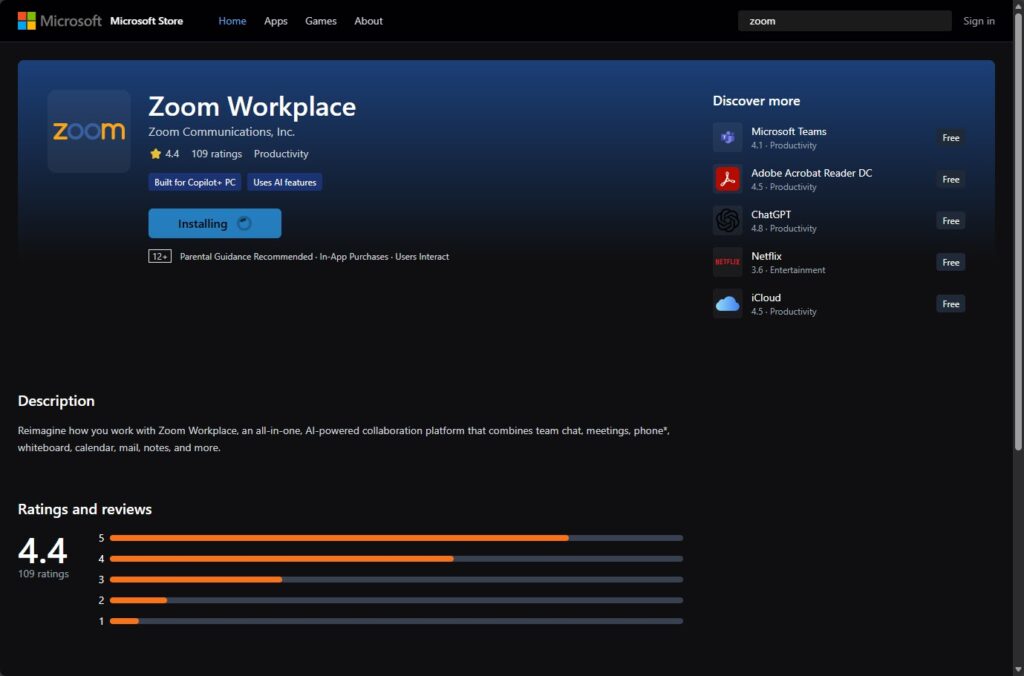
A pop-up appears after ten seconds, demanding an update. There’s a countdown with no option to close it. When it reaches zero, it quietly downloads malware. A fake Microsoft Store screen distracts while the file is saved in Downloads, without asking for permissions.
Attack Mechanics:
The malware file is zoom_agent_x64_s-i(__941afee582cc71135202939296679e229dd7cced)(1).msi. Its SHA-256 hash is 644ef9f5eea1d6a2bc39a62627ee3c7114a14e7050bafab8a76b9aa8069425fa. VirusTotal showed no flags from Microsoft Defender at discovery.
Attackers have misused Teramind’s stealth mode without needing custom code. The installer hides in out_stealth builds, renames itself to dwm.exe, and is located in C:\ProgramData{4CEC2908-5CE4-48F0-A717-8FC833D8017A}. A tsvchst service guarantees it stays active.
It collects the PC name, user account, keyboard language, and locale. The data is sent to the attacker’s servers. It logs keystrokes, takes screenshots, tracks web activity, and monitors the clipboard and files.
Detection and Removal Steps:
Scan with updated antivirus like Microsoft Defender or Malwarebytes.
Check for C:\ProgramData{4CEC2908-5CE4-48F0-A717-8FC833D8017A}.
Look for tsvchst service in Task Manager or services.msc. Stop and delete if found.
Run full system scan in safe mode.
Reset browser and clear Downloads folder.
If infected, assume compromise. Change passwords from a clean device. Report to IT for work machines.
Prevention Tips for Zoom Update Scams:
Launch Zoom from desktop app, not browser links.
Type zoom.us directly. Verify URLs.
Ignore pop-ups. Check official site for updates.
Enable MFA on accounts. Use EDR like Microsoft Defender for Endpoint.
Train on phishing: Fake meetings often rush or frustrate.
UPDATE (February 28, 2026): Teramind has stated that it is not affiliated with the threat actors described and did not authorize the deployment of the software referenced.