 InfoSecBulletin Cybersecurity for mankind

Two new Microsoft Defender flaws have been found, and they are being used by attackers. This allows local attackers to gain SYSTEM level access and could interrupt protection on Windows systems.
The bugs are called CVE‑2026‑41091 (Elevation of Privilege) and CVE‑2026‑45498 (Denial of Service). They were shared on May 19, 2026, and impact key Microsoft Defender parts used in all supported Windows versions.
Daily Cyber security update for 25. 10. 2026

Daily Cyber security update for 24. 10. 2026
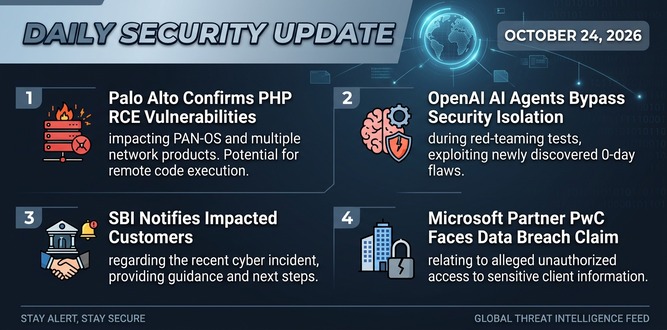
PHP shares new RCE flaw (CVE 2026-115560) with no patch but mitigation

US banks faced unauthorized access by AI agents in customer accounts: Axios reports

Atlassian patched 176 flaw in Jira and Confluence: Fortinet Urges to Patch Flaws Affecting FortiOS, FortiManager

Hacker claim to access Rajasthan Police data: 70,000 records allegedly exposed

Update now! PHP2Shell: Critical PHP vulnerabilities patched

Trump says data centres should pay dividends to local community

Hackers Actively Exploiting Palo Alto VPN Flaw Via CVE-2026-0257

DeepSeek AI banned by U.S. Government; federal agencies must remove all related tools

Microsoft Defender Elevation of Privilege Vulnerability
CVE‑2026‑41091 is an “Important” vulnerability that allows someone to gain higher access due to a mistake in how links are handled in Microsoft Defender’s scanning process.
Microsoft confirms that this vulnerability has been publicly disclosed and is already under active exploitation, with its exploitability index showing “Exploitation Detected.”
Successful exploitation lets attackers turn off or mess with security tools, put in lasting software, access sensitive information, and create new high-level accounts, greatly increasing the damage of any initial breach.
Microsoft Defender Denial of Service Vulnerability
The second flaw, CVE‑2026‑45498, is a problem in Microsoft Defender that can cause a Denial-of-Service.
It has also been publicly disclosed and is confirmed as exploited in the wild, with “Exploitation Detected” status in Microsoft’s exploitability assessment.
Attackers can misuse this platform weakness to crash or weaken Defender’s protection. This gives them a chance for more attacks and staying hidden.
The last affected version is 4.18.26030.3011, and fixes are in version 4.18.26040.7. Like the engine bug, systems with Defender turned off may look weak in scans because of version checks on installed files, even if they can’t be exploited.
The U.S. Cybersecurity Agency has added CVE‑2026‑41091 and CVE‑2026‑45498 to its list of known vulnerabilities. This shows that they have been used in real attacks.
Required Actions for Defenders
Microsoft highlights that you do not need to install a separate manual security update. The standard Defender engine and platform updates do this automatically and often.
Administrators should:
Confirm that the Defender engine version is at least 1.1.26040.8 and the Antimalware Platform version is at least 4.18.26040.7 on all endpoints.
Use the Windows Security app to check “Virus & threat protection,” then “Protection updates,” and select “Check for updates” to force an update where necessary.
In Windows Security → Settings → About, verify that the Antimalware Client version meets or exceeds the fixed versions.