 InfoSecBulletin Cybersecurity for mankind
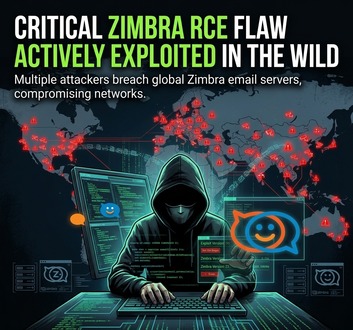
CERT Polska has alerted that bad actors are actively exploiting a security flaw in Zimbra Collaboration Suite to execute code remotely. The bug known as CVE-2026-73570 lets attackers who are not logged in run any commands on affected servers as the zimbra user.
There is a flaw with Zimbra’s SNMP monitoring feature. It has a flaw that allows OS command injection. This affects setups that have the zimbra-snmp package on, SNMP notifications turned on with the snmp_notify setting, and the swatchdog service active.
Hackers Actively Exploiting Palo Alto VPN Flaw Via CVE-2026-0257

DeepSeek AI banned by U.S. Government; federal agencies must remove all related tools

CISA, NSA and NIST Publish New 10 AI Agent Control Guidelines
Claude AI Cracks 25-Year NSA Cryptography Number Mystery in Just 30 Minutes

Bypassing firewalls, AI Agents Accessed Indian ‘ Data Without Permission: CERT-In

MITRE ATT&CK v20 Unveils 9 New Attack Techniques On AI Exploits, MFA Bypass, and CAPTCHA Evasion

Hackers Exploit Fortinet Flaws to Deploy Stealthy PEERSTITCH Malware on FortiGate Firewalls

Hacker stole Meta GitHub repos; Stole Source Code
Urgent patch! Zoom,NVIDIA and IBM Patch 41 Security flaws

Microsoft patches record braking 1411 flaws; 2 zero days
Swatchdog is enabled by default, increasing the exposure risk for organizations that have enabled SNMP trap notifications.
Zimbra RCE Vulnerability Exploited
An attacker can send special SMTP requests to take advantage of improper sanitization during SNMP notifications. They do not need to log in first, and this can lead to running any shell command with the rights of the Zimbra account.
This access could let attackers set up web shells, steal email data, change server settings, stay hidden, or use the hacked mail server to attack more.
Zimbra fixed CVE-2026-73570 in version 10.1.20, which came out on July 20, 2026. The security notice from the vendor says that the update solves a command injection issue in the SNMP monitoring part when notifications are turned on.
Organizations using older versions should see this issue as a top priority for fixing because attacks have already been seen in real situations. CERT Polska has also shared advice on how to detect if a system has been compromised.
Administrators need to check /var/log/zimbra.log for strange service-status messages. These messages could show an unknown or bad payload that goes from stopped to running, or from running to stopped.
Such activity may show that a hacker has misused the weak notification system to start or stop processes they control. Security teams need to check files made by the Zimbra user in the last 30 days. The key folders to look at are /opt/zimbra/jetty/webapps/, /opt/zimbra/jetty_base/webapps/, and /tmp/.
Unexpected JSP files, running scripts, zipped files, or recently changed application content in these places may show payload staging or staying power.
Organizations need to quickly find all Zimbra Collaboration Suite servers. They must check if SNMP notifications are on and upgrade any weak systems to version 10.1.20 or a newer fixed version.
Administrators should disable unnecessary SNMP notifications and watch SMTP activity, Zimbra logs, process creation, and file changes involving the zimbra account if emergency patching can’t be done right away.
Any signs of misuse should be seen as a possible problem with the mail server. Admins should keep logs, isolate affected computers if needed, change passwords, check mailbox access, and carry out a complete investigation into the incident.