 InfoSecBulletin Cybersecurity for mankind
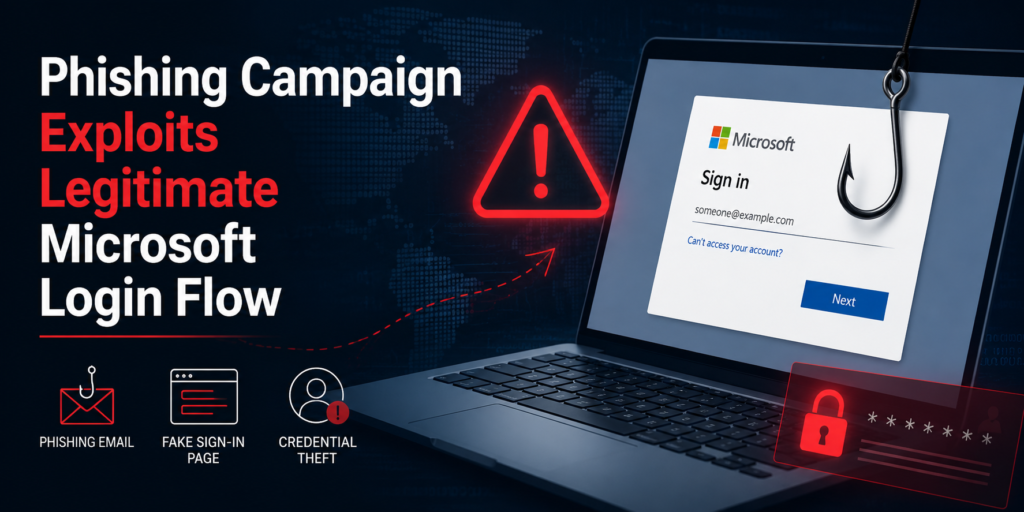
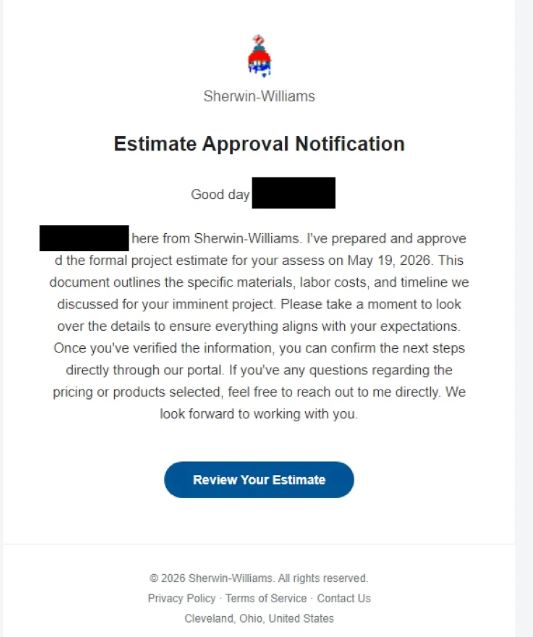
Attackers are using Microsoft’s OAuth 2.0 Device Authorization Grant (device code) flow in a campaign to take control of Microsoft 365 accounts. The attack starts with a fake email that looks like it’s approving a quote from a supplier.
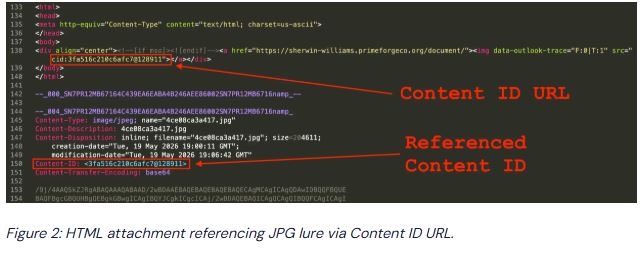
The message has two parts: an HTML file that shows an image using a Content ID (cid) URL, and a JPG image that has a clickable area on top, making the whole image work like a link.
CISA, NSA and NIST Publish New 10 AI Agent Control Guidelines
Claude AI Cracks 25-Year NSA Cryptography Number Mystery in Just 30 Minutes

Bypassing firewalls, AI Agents Accessed Indian ‘ Data Without Permission: CERT-In
MITRE ATT&CK v20 Unveils 9 New Attack Techniques On AI Exploits, MFA Bypass, and CAPTCHA Evasion

Hackers Exploit Fortinet Flaws to Deploy Stealthy PEERSTITCH Malware on FortiGate Firewalls

Hacker stole Meta GitHub repos; Stole Source Code

Urgent patch! Zoom,NVIDIA and IBM Patch 41 Security flaws

Microsoft patches record braking 1411 flaws; 2 zero days

Anthropic unveils “OSS Scanner” Free AI Vulnerability Scanner for Open-Source Projects

Rise on RCE Exploits Targeting Hikvision Camera Flaw

The Content ID values include algorithmically generated id-left/id-right components, which helps the campaign evade simple attachment-scanning heuristics.
When someone clicks the image, they go to a phishing page like ClickFix. The page asks the user to “Review Document” and then creates a code for them to copy.
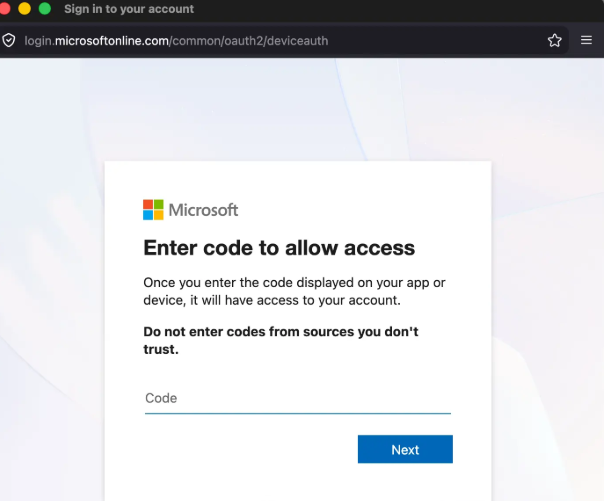
When the victim clicks the landing page’s “Sign in with Microsoft” button, the site opens a genuine Microsoft device login flow (hxxps://aka[.]ms/devicelogin).
This triggers Microsoft’s real authentication UI: first a code-entry popup, then a prompt for the account username via the Microsoft Authentication Broker, which explicitly refers to “another device.” The UI itself is legitimate, which greatly increases the plausibility of the request.
The main part of the kit is the device code value. Device codes are usually used to verify non-browser devices, like command-line apps, smart TVs, or IoT devices, that cannot finish a normal web-based OAuth process.
Reversing Lab found a Microsoft 365 phishing campaign that tricks users. It misuses Microsoft’s real OAuth 2.0 Device Authorization Grant to get into victim accounts.
Microsoft OAuth Device Code Abused
When the victim enters the code into Microsoft’s dialog and proceeds, the attacker’s device gets a Microsoft OAuth token linked to the victim’s account, allowing the attacker to take over the account without getting the password.
The phishing kit uses clever tricks to avoid detection on its landing page. The creators hide invisible characters in words like “Microsoft,” “account,” and “verify” to prevent them from being flagged.
The strange density of these characters helps us identify and is used in YARA signatures to find this kit’s pages.
Another item is a modified Entra ID Security Token Service string found in the device code POST message; shifting the bytes to the left by six bits shows the string.
The mix of URL-safe base64 and the bitshifted artifact gives a YARA detection string with few false positives.
Network-level detection can work too. The campaign shows a unique traffic pattern with three parts: first, visiting the landing page and the Microsoft auth popup, second, the authentication step after entering the code, and third, a steady four-second signal POST from the phishing kit to the attacker’s host.
Two steps for finding hostnames show the attack’s first two parts. Both steps include aka.ms, login.microsoftonline.com, aadcdn.msftauth.net, login.live.com, and browser.events.data.microsoft.com.
Seeing Microsoft login activity from a device at the same time as the four-second signals suggests a security problem and needs quick checking.
Device code phishing is very risky because it misuses a real login method, making it hard to tell good actions from bad ones. Defenders should use YARA rules to find hidden Unicode patterns and the Entra ID piece, watch for the mentioned hostname sequences and regular signals, and teach users to see unexpected device-code requests as suspicious.
Additional technical fixes include rules that limit device code grants, tracking and notifying on unusual OAuth client approvals, and using multi-step verification to lower the worth of a fake token.